
App by Native Software
Easy Counter
Keep the count.
An easy counter is a user-friendly counting app specially designed for chanting.


Screens
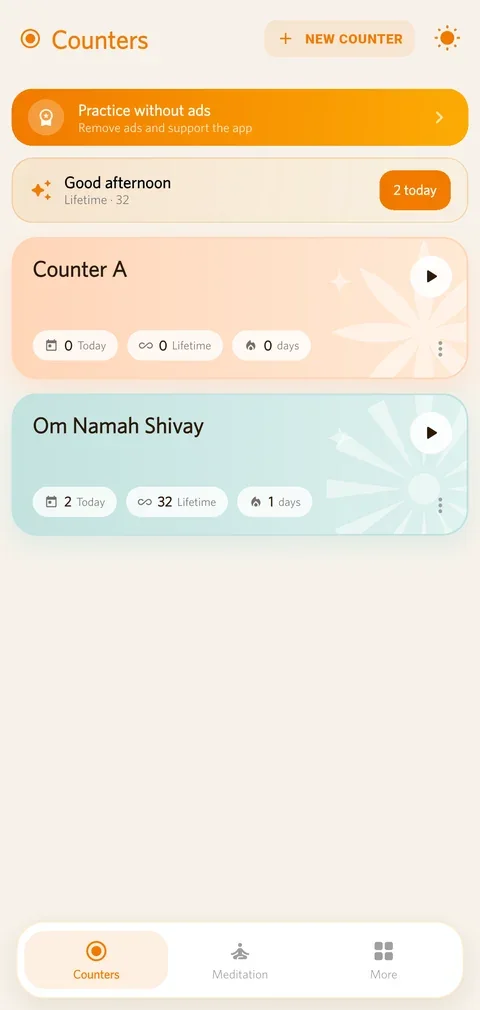
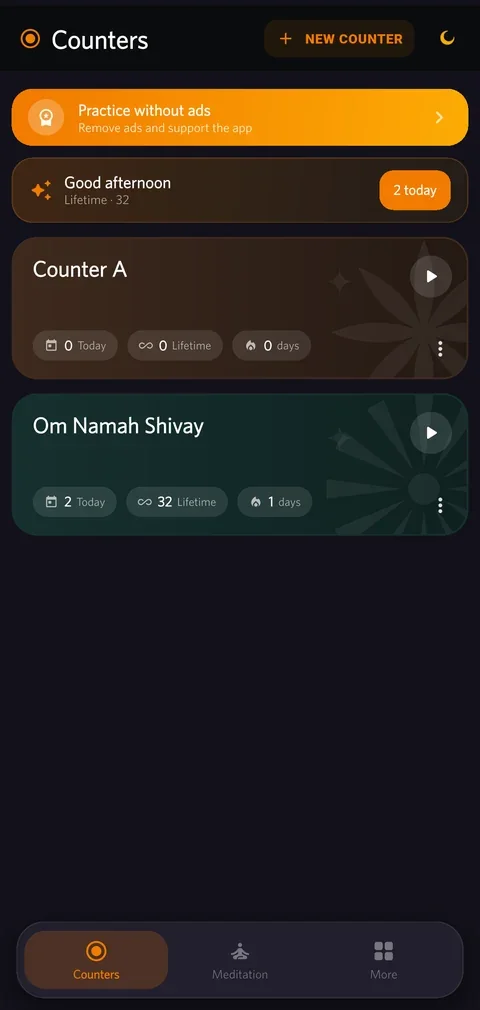
Your counters, each with its streak 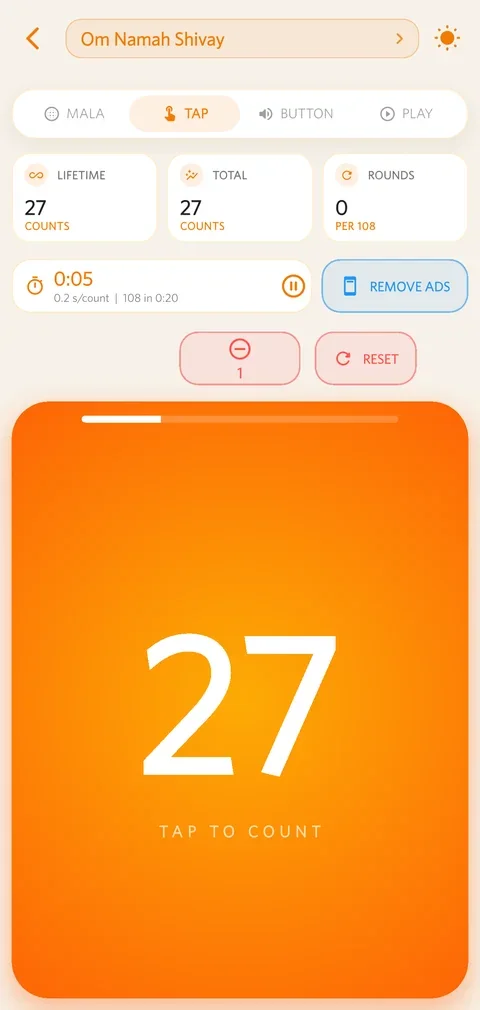
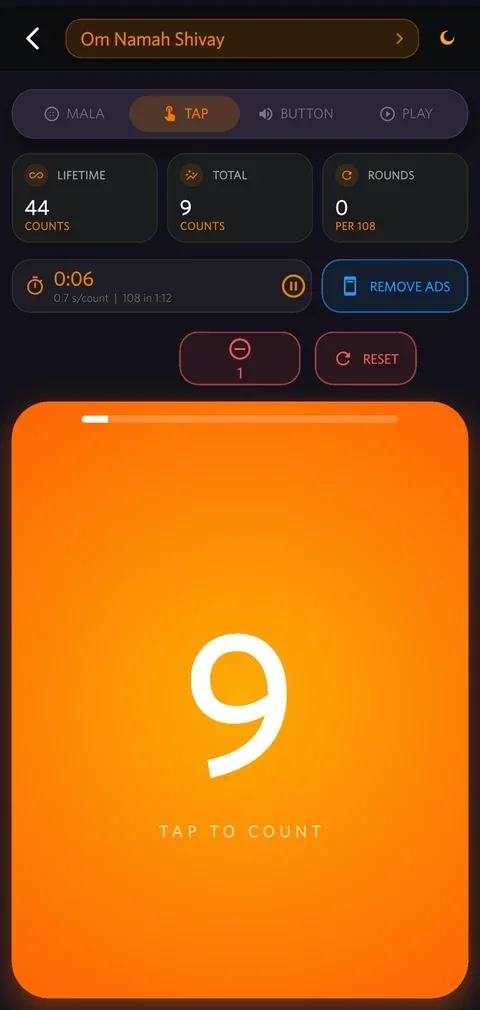
Counting by tap 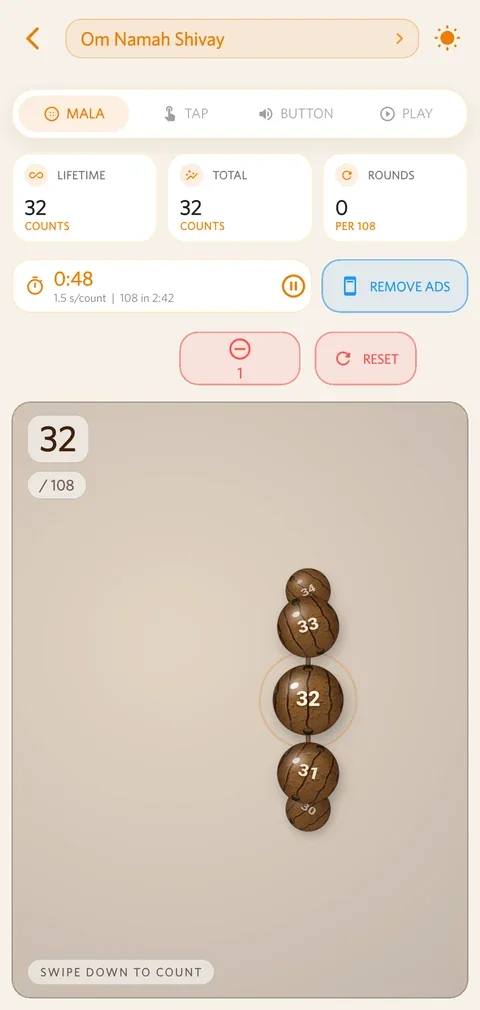
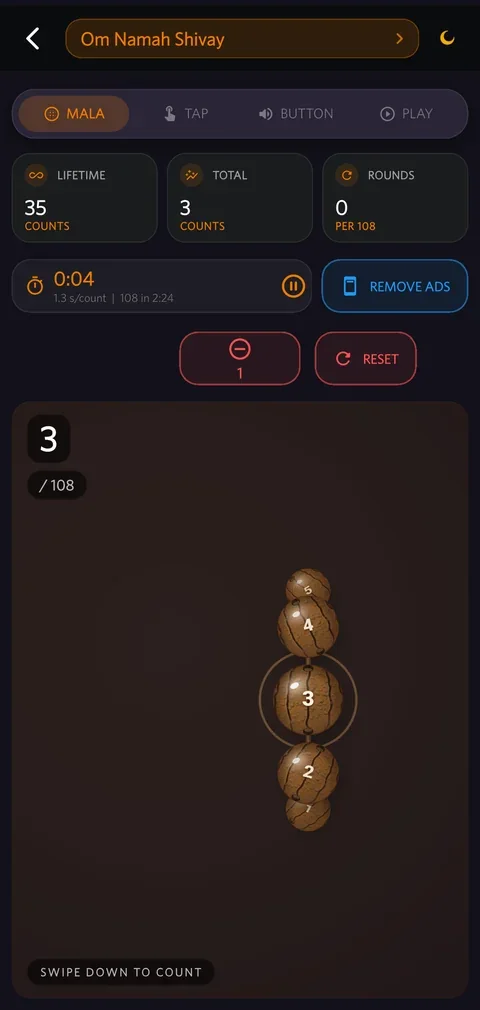
The 3D mala 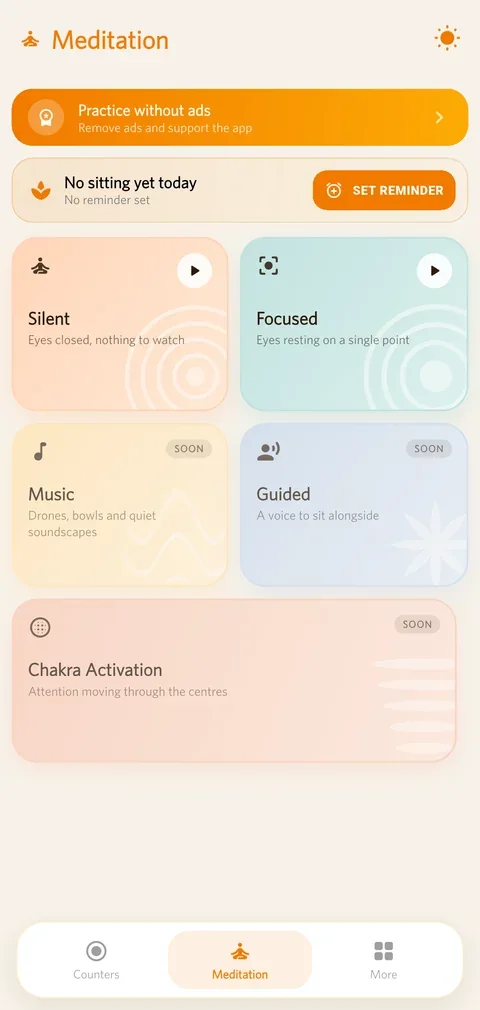
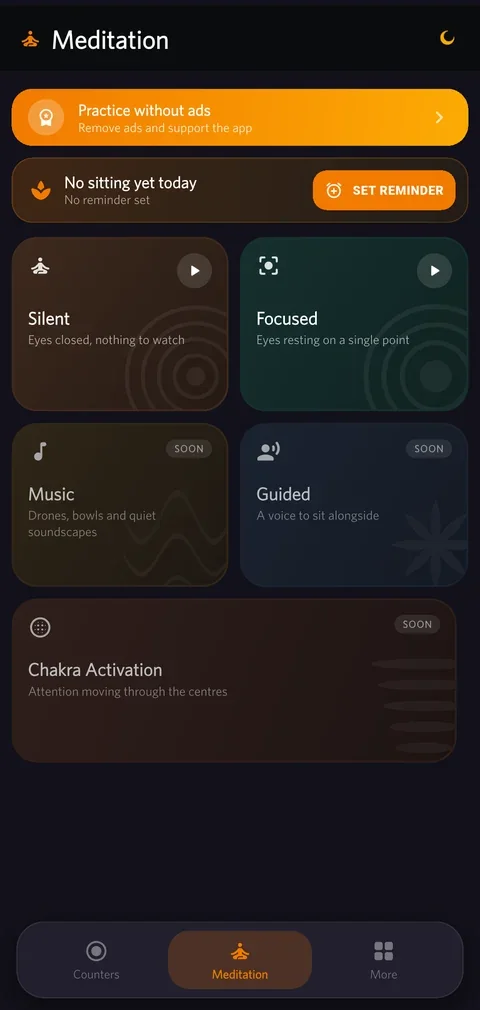
Meditation sittings 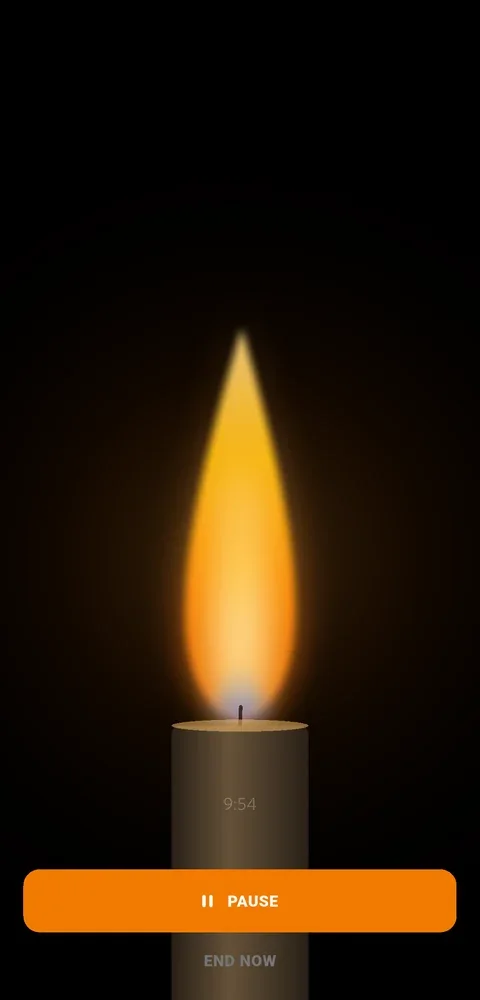
Light a diya while you count
Four ways to count
Whichever way your hands already know
A practice should not have to fit the app. Pick the mode that matches how you already sit — and switch at any time without losing the count.
Tap
One big target that fills the screen. Look at it or don't — your thumb will find it either way.
Volume keys
Count with the phone face down, in your pocket or under a cloth. No screen, no glare, no distraction.
3D mala
A strand you move bead by bead with your thumb — one swipe, one count, and it only ever goes forward.
Auto-play
Add the chant or tone you want to hear and let it repeat. Each repetition counts itself while you sit.
The mala
108 beads that behave like beads
Mala mode draws a real strand, not a list. Beads catch the light, the current one sits in a ring under your thumb, and the strand refuses to run backwards — because a mala doesn't.
- Six bead designs — Rudraksha, Tulsi, Sphatik, Sandalwood, Coral and Pearl.
- Left or right hand, so the beads sit on the side your thumb is already on.
- Rounds you set — 108 by default, any number you like, with the tally kept for you.
- A chanting timer that starts on the first count and shows your seconds per count.
Meditation
Or put the count down and just sit
Two ways to sit, and nothing to configure before you can start. Silent keeps your eyes closed with nothing to watch. Focused gives your gaze one thing to rest on — a dot, a soft coloured light, or a candle flame for trataka.
- 5 to 60 minutes, or open-ended. A bell sounds when the time is up.
- One gentle reminder a day, at a time you choose.
- Pause and pick it up later — a paused sitting keeps its elapsed time.
- Music, guided sittings and chakra work are on the way.
Staying with it
The hard part is showing up
Counting is easy. Coming back tomorrow is the practice — so that is what the app is built around.
Reminders that fit your day
Set a nudge for any counter, on the days and at the times you choose — with a gentle follow-up every couple of hours until you have counted, and never at night.
Streaks and daily totals
Every counter carries today's count, its lifetime total and your current streak on its card, so a missed day is visible before it becomes a missed week.
Your history, exportable
Totals by day, week, month or year, per counter or across all of them — and a CSV export when you want the numbers somewhere else. Missed a session? Add it after the fact.
A look inside
Calm by default, in either theme
The app follows your phone's light or dark setting, or you can pin it — the same switch this page uses.
Your practice is yours
No account. No server holding your counts.
There is nothing to sign up for and nothing to log in to. What you chant, and how much, stays on your phone — and if you back it up, it goes to your cloud account, not ours.
Stored on your device
Counters, counts, history, reminders and settings live in the app's own storage. We never receive a copy.
Backup to your own cloud
Google Drive on Android, iCloud Drive on iPhone — automatically when a backup is due, or by hand whenever you like.
A new phone starts where you left off
Sign in, restore, and your totals and streaks come back. Nothing is lost in the move.
The full detail is in the Privacy Policy. The app is free and supported by ads; an optional one-time Premium purchase removes them.
31 languages
In the language you pray in
Every screen is translated, and right-to-left scripts are laid out properly rather than mirrored badly.
- English
- हिन्दी
- ગુજરાતી
- मराठी
- বাংলা
- தமிழ்
- తెలుగు
- ಕನ್ನಡ
- മലയാളം
- ଓଡ଼ିଆ
- ਪੰਜਾਬੀ
- অসমীয়া
- संस्कृतम्
- اردو
- العربية
- فارسی
- Español
- Français
- Deutsch
- Italiano
- Português
- Русский
- Türkçe
- Bahasa Indonesia
- Bahasa Melayu
- Filipino
- ไทย
- Tiếng Việt
- 日本語
- 한국어
- 中文
Questions
Straight answers
What people ask before they install.
Yes. Every feature — all four counting modes, rounds, reminders, history, meditation and backup — is free, and the app is supported by ads. If you would rather practise without them, a one-time Premium purchase removes the ads. It is a one-time payment, not an auto-renewing subscription.
How can I count without looking at the screen?
Two ways. Button mode counts on the volume keys, so you can keep the phone in your pocket or under a cloth and press with your thumb. Auto-play repeats a chant or tone you choose and counts each repetition for you, so you can sit with your eyes closed.
Yes. Mala mode draws a 3D strand you move bead by bead with your thumb, one swipe per count, and it only moves forward. You can choose Rudraksha, Tulsi, Sphatik, Sandalwood, Coral or Pearl beads, and set the strand to your left or right hand so it sits under your thumb.
Can I use it for tasbih, rosary or any other repetition?
Yes. A counter is just a name, a count per round and a target, so the app works for japa, tasbih, rosary, breath counts, affirmations, kirtan tallies, exercise reps or anything else you repeat. The round size is yours to set — 108 is only the default.
Do I need an account, and where is my data kept?
No account is needed, ever. Your counters, counts, history and settings are stored on your own device. If you turn on backup, the copy goes to your own Google Drive or iCloud Drive — not to a Native Software server. We cannot see what or how much you chant.
Yes. Turn on backup and the app saves to your own Google account or iCloud Drive, automatically when a backup is due. Sign in on the new phone, restore, and your counters, totals and history come back. You can also export and import a copy by hand.
Which languages does Easy Counter speak?
31, including Hindi, Gujarati, Marathi, Bengali, Tamil, Telugu, Kannada, Malayalam, Odia, Punjabi, Assamese, Sanskrit, Urdu, Arabic, Persian, English, Spanish, French, German, Italian, Portuguese, Russian, Turkish, Indonesian, Malay, Filipino, Thai, Vietnamese, Japanese, Korean and Chinese. Right-to-left scripts are laid out properly.
Can I use Easy Counter to meditate rather than count?
Yes. Alongside counting there are meditation sittings: Silent, with your eyes closed and nothing to watch, and Focused, which gives your gaze one thing to rest on — a dot, a soft coloured light, or a candle flame for trataka. Choose a length from 5 to 60 minutes or sit open-ended, and a bell sounds when the time is up.
Android phones and tablets from the Google Play Store, and iPhone and iPad from the App Store.
Policies and Help
Get Easy Counter
On Google Play and App Store.

Want an app like this?
We build and publish Android and iOS apps for founders and growing companies.